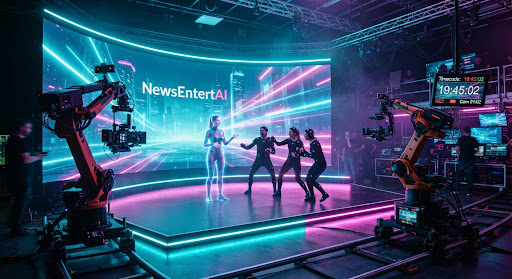
Two Video Models, One 4K Cinematic Stress Test
We designed a set of shot tests — frame consistency, lighting, multi-character blocking — to compare two fictional video generators. Here is our method and what to look for.
Sarah Lin
Senior Tech Editor • • 4 min read
The quick take
- 1Test the hard shotsContinuity, hands, reflections and crowds reveal more about a generator than a single polished hero clip.
- 2Qualitative, not scoredWe describe behavior and failure modes rather than assigning numbers to creative output.
- 3Repeatable methodFixed prompts, fixed seeds and side by side review let any reader rerun the comparison.
Every video generator looks brilliant in its own showcase reel. The trouble is that a showcase is chosen by the people who made the tool. To get a fairer picture, we built a small stress test and pointed it at two fictional generators, Lumen-V and FrameForge 3. This piece, part of our launch edition, is illustrative: the clips and observations describe a method and plausible behaviors, not a ranking. The real value is the checklist, which you can use on any generator you try.
Designing the test
A good test punishes the weaknesses that matter to filmmakers. We wrote a short set of prompts, each aimed at one difficulty, and ran them in the same order on both models with identical wording. Where a tool allowed it, we fixed the random seed so we could repeat a run. We generated several takes per prompt, because a single lucky result tells you very little.
Then we reviewed every clip twice: once at normal speed, as an audience would, and once frame by frame, as an editor would. Flaws that vanish at speed often reappear when you step through, and the reverse is also true. Both views matter.
The shot categories
We chose six areas where generators are known to struggle.
- Frame consistency. Does a character's jacket keep its color, buttons and collar from the first frame to the last? Do background objects stay where they were?
- Hands and small details. Fingers, jewelry, cups being lifted and doors being opened. Count digits, and watch objects for sudden changes.
- Reflections and lighting. A rainy window, a polished floor, a lamp that turns on. Do reflections match the scene, and does light behave consistently as people move through it?
- Crowd and multi-character blocking. Three people crossing a room, or a market full of extras. Do figures keep their identities, avoid merging and respect each other's space?
- Camera moves. A slow push in, a tracking shot, a crane rise. Does the world stay stable while the viewpoint changes?
- Prompt adherence. If we ask for a low angle and warm evening light, do we get them, or something similar but wrong?
What to look for in the results
Rather than score the models, we recorded how each behaved. In our illustrative session, Lumen-V tended to favor atmosphere. Its lighting felt cinematic and its camera moves were smooth, but identities in busy scenes could wander, with a background extra occasionally changing clothes mid-shot. FrameForge 3 leaned toward structure. It held characters steady across a shot more reliably, though its lighting sometimes looked flatter, and reflective surfaces needed more attempts to look right.
Notice what that description is and is not. It is a pattern, not a verdict. Neither model won everywhere, and your own project may care more about one strength than another. A moody short film and a dialogue-driven scene ask for different things.
Some tells are worth memorizing, because they apply to almost any generator:
- Hands that briefly gain or lose a finger as they move behind an object.
- Text on signs that shifts or turns to gibberish between frames.
- Shadows that fall in a direction that disagrees with the visible light source.
- Background figures whose faces or outfits subtly morph as the camera pans.
- Motion that is smooth but weightless, as if characters glide instead of step.
How to evaluate clips yourself
You do not need a lab. You need discipline. Start by writing your prompts before you see any results, so you cannot unconsciously tune them to flatter a favorite. Keep wording identical across tools. Generate multiple takes, and judge the typical result as well as the best one, because production work depends on reliability more than luck.
Next, review clips in a neutral setting. Watch with sound off first, so you judge the picture, then with it on. Ask a colleague who does not know which model made which clip to pick their preference. Blind comparison is a simple way to reduce bias.
Finally, test the thing you actually need. If your project is a dialogue scene with two actors at a table, make that exact scene. A generator that dazzles with dragons may stumble over a conversation, and the conversation is what you are shipping.
Fine print and fair use
Two cautions. First, tools change quickly, so any comparison is a snapshot, and a model update can overturn it. Date your notes. Second, check the terms of any generator you use for commercial work, including who owns the output and what training data the maker says it used. If real people appear in your footage, make sure you have their consent, and label synthetic material honestly when you share it.
We plan to extend this method into a living guide as the launch edition grows, with more shot types and community-submitted tests. For now, treat it as a starting kit. The goal is not to crown a winner but to help you see clearly, so that the next glossy demo reel meets a more informed audience.
Launch edition note: this is an illustrative story. The studios, platforms, people and events are fictional. See our disclosure protocol.
Sarah Lin
Senior Tech Editor at NewsEntertAI. Launch-edition byline. Spotted an error? Tell us.